GoHighLevel Snapshots Explained: Clone Your Best Setup Instantly (2026)
Ashley — GoHighLevel.ai
8 min read · Updated April 2026
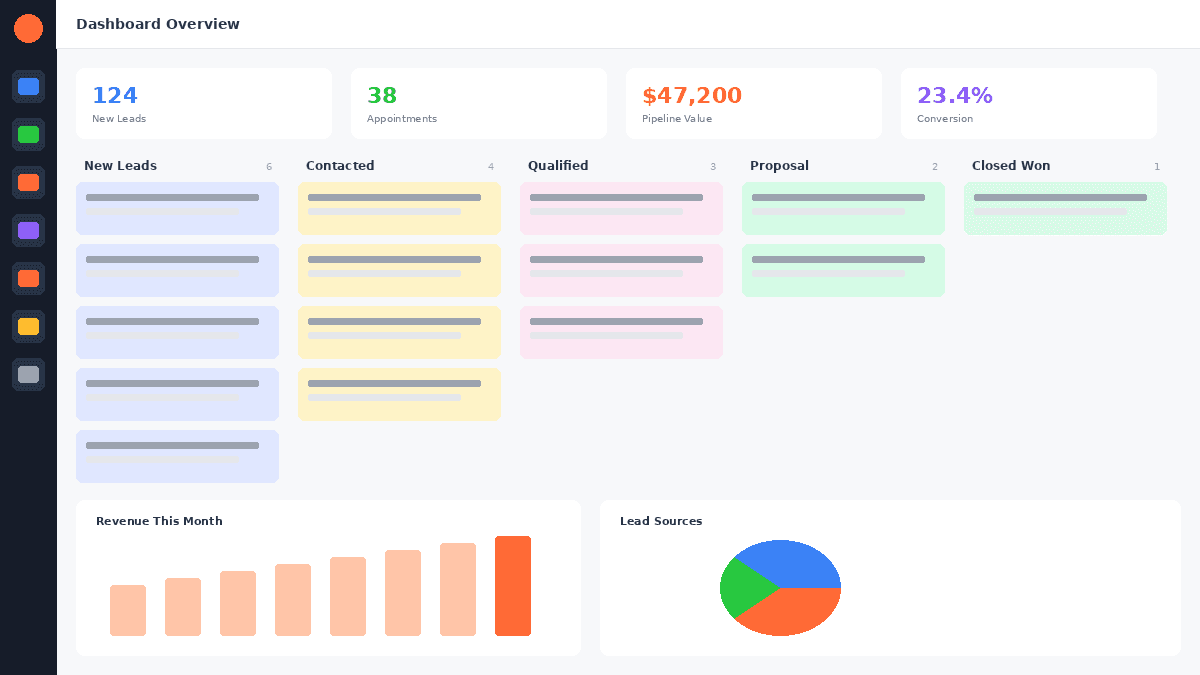
Snapshots are exportable templates of an entire GoHighLevel sub-account setup - including funnels, workflows, pipelines, email templates, calendars, and automations. GoHighLevel for agencies use snapshots to duplicate a proven setup across multiple client accounts in minutes, eliminating hours of manual configuration.
Imagine spending weeks perfecting a GoHighLevel GoHighLevel training for a dental practice - funnels, automations, email sequences, review workflows, appointment reminders, pipelines, and custom fields. Now imagine cloning that entire setup into a new dental client's account with one click.
That is what snapshots do. They are the most efficient feature in GoHighLevel for agencies that serve multiple clients in similar industries.
Try GoHighLevel free for 30 days here.
How Snapshots Work
A snapshot captures the configuration of a GoHighLevel sub-account and packages it as a reusable template. When you apply a snapshot to a new sub-account, it clones all the included assets into that account.
What snapshots include:
- Funnels and websites - all pages, forms, and design elements
- Workflows and automations - complete workflow logic with triggers and actions
- Pipelines - stages, custom fields, and pipeline configuration
- Email templates - all designed email templates and campaigns
- Calendar settings - booking calendars with availability rules
- Custom values - custom fields and their configurations
- Tags - all tags used in the setup
- Triggers and campaigns - legacy campaigns and triggers
- Social planner templates - pre-scheduled social content templates
- Forms and surveys - all form configurations
What snapshots do NOT include:
- Contacts and their data
- Actual conversations and messages
- Sent campaign history
- Connected integrations (Google, Facebook, Stripe)
- Phone numbers
- Domain configurations
- User accounts
This separation makes sense - you want the structure and logic, not the data from one client's account.
Creating Your First Snapshot
Step 1: Set up a "master" sub-account for each industry or niche you serve. This is your template account that you will continuously improve.
Step 2: Build everything - funnels, workflows, pipelines, email templates, calendar configurations, and automations - in this master account. Test every workflow. Click every link. Submit every form. Make sure everything works flawlessly.
Step 3: Navigate to Settings → Company → Snapshots in your agency dashboard.
Step 4: Click "Create New Snapshot" and select which sub-account to snapshot from.
Step 5: Name the snapshot clearly: "Dental Practice - Full Setup v3.2" or "Roofing Contractor - Lead Gen System." Version numbers help you track iterations.
Step 6: The snapshot is created and stored in your agency dashboard, ready to deploy to any new sub-account.
Deploying a Snapshot
When a new client signs up:
- Create a new sub-account for the client
- Go to the snapshot library
- Select the appropriate snapshot
- Apply it to the new sub-account
- Customise the cloned assets with the client's specific information
The deployment itself takes seconds. The customisation - updating business names, phone numbers, addresses, logo, and brand colours - takes 30-60 minutes. Compare this to 8-20 hours of building everything from scratch.
FREE TRIAL
Get 30 Days Free — not the standard 14.
- ✓All features included
- ✓No credit card required
- ✓Cancel any time
Join 60,000+ agencies already using GoHighLevel
Get 30 Days FreeBuilding Industry-Specific Snapshots
The most successful agencies build snapshots tailored to specific industries. Here are frameworks for common niches:
Dental Practice Snapshot
Pipeline: New Inquiry → Appointment Scheduled → New Patient Visit → Treatment Plan → Active Patient → Recall Due → Re-engagement
Workflows:
- New patient inquiry speed-to-lead (SMS + email)
- Appointment confirmation and reminders (3-touch)
- Post-visit review request (SMS + email)
- Recall reminder sequence (6-touch over 30 days)
- Birthday message automation
- Treatment plan follow-up
Funnels:
- New patient special offer landing page
- Emergency dental landing page
- Cosmetic dentistry consultation page
- Invisalign information and booking page
For more, see our GoHighLevel for Dentists guide.
Home Services Contractor Snapshot
Pipeline: New Lead → Contacted → Estimate Scheduled → Estimate Given → Follow-Up → Job Booked → In Progress → Complete → Review Requested
Workflows:
- Missed call text-back
- Speed-to-lead follow-up (SMS + email + voicemail)
- Estimate reminder sequence
- Post-estimate follow-up (5-touch over 21 days)
- Post-job review request
- Seasonal reactivation campaign template
Funnels:
- Free estimate request page
- Emergency service landing page
- Seasonal promotion page
For more, see our GoHighLevel for Contractors guide.
Real Estate Agent Snapshot
Pipeline: New Lead → Contacted → Showing Scheduled → Offer Stage → Under Contract → Closed → Referral Request
Workflows:
- New inquiry speed-to-lead
- Property showing reminders
- Post-showing follow-up
- Long-term buyer nurture (12-month drip)
- Post-closing review and referral request
- Home anniversary follow-up
Funnels:
- Home valuation landing page
- Buyer guide download page
- Open house registration page
For more, see our GoHighLevel for Real Estate guide.
Sharing and Selling Snapshots
GoHighLevel allows you to share snapshots with other agencies through a shareable link. This creates two business opportunities:
Internal sharing: If your agency has multiple team members setting up client accounts, snapshots ensure consistency. Everyone deploys the same proven setup.
Selling snapshots: Some agencies monetise their snapshots by selling them to other GoHighLevel users. A well-built, industry-specific snapshot with proven workflows can sell for $200-$1,000+ per licence.
The GoHighLevel community marketplace and Facebook groups are common places to sell snapshots. Price based on the complexity, industry specificity, and proven results of the included assets.
Snapshot Best Practices
Version your snapshots. Update your master account as you discover improvements, then create a new snapshot version. Keep notes on what changed between versions.
Use placeholder text consistently. In your master account, use clear placeholders like "[BUSINESS NAME]", "[PHONE NUMBER]", "[ADDRESS]", and "[REVIEW LINK]" so whoever deploys the snapshot knows exactly what to customise.
Test before sharing. Deploy each snapshot to a fresh sub-account and test every workflow, every funnel page, and every email. Broken links or missing elements in a client's account damage your professional reputation.
Document the snapshot. Create a setup guide that accompanies the snapshot - what to customise, which integrations to connect, and how to activate the workflows. This is especially important if team members other than you handle client onboarding.
Do not over-build. A snapshot with 50 workflows and 20 funnels is overwhelming. Build what the client needs on day one. You can always add more features over time. Starting simple ensures the client actually uses the system.
Maintain a master account per niche. Keep your master accounts active and updated. When you improve a workflow for one client, update the master and create a new snapshot version. This continuous improvement loop makes each new client benefit from everything you have learned.
Snapshots and SaaS Mode
If you are building a SaaS product with GoHighLevel's SaaS mode, snapshots are the foundation of your product experience. When a new customer signs up for your SaaS platform, a snapshot automatically deploys to their account, giving them a ready-to-use setup immediately.
This is how you create a "plug and play" experience. The customer signs up, their account is pre-configured with industry-specific workflows, funnels, and templates, and they can start generating leads within hours instead of weeks.
Read our SaaS Mode guide for the complete playbook on combining snapshots with automated SaaS billing.
Getting Started
Start your 30-day free trial on the Unlimited plan and build your first industry snapshot during the trial period. One well-built snapshot will save you hundreds of hours across your next 10 client onboardings.
For the 30-day free trial (double the standard 14 days), see our GoHighLevel free trial guide.
Related Articles
EXTENDED FREE TRIAL
Start with 30 days free, not 14.
This link gives you an extra 16 days compared to going directly to GoHighLevel.
Claim your 30-day trial hereFor additional context, see GoHighLevel snapshot marketplace.
For additional context, see agency onboarding best practices from AgencyAnalytics.
GoHighLevel.ai Editorial Team
Independent GHL experts helping agencies and SaaS builders.
Was this article helpful?