GoHighLevel Membership Sites & Courses (2026)
20 min read · Updated April 2026
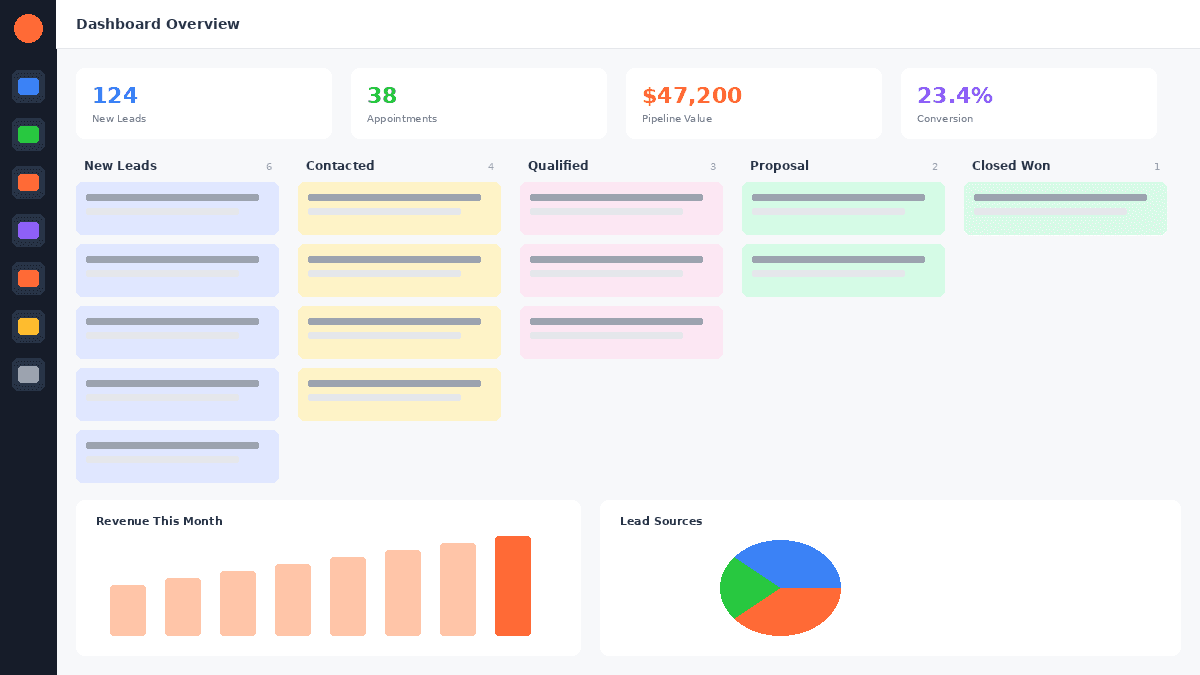
Does GoHighLevel have a membership site builder?
Yes. GoHighLevel includes a fully built-in membership site and online course builder on all GoHighLevel pricing - Starter ($97/mo), Pro ($297/mo), and Agency Unlimited ($297/mo). You can create structured courses with modules and lessons, drip content on a schedule, gate access behind one-time or recurring payments via Stripe, and even run a community - all without any third-party platform.
Online course platforms like Kajabi, Teachable, and Thinkific have built entire businesses charging creators $150–$400 per month just to host courses. GoHighLevel gives you the same capability as part of an all-in-one platform that already includes your CRM, email marketing, GoHighLevel landing pagess, automations, and phone system.
If you're a coach, consultant, course creator, or agency, this is a significant advantage - one platform, one subscription, zero tool-stacking.
TL;DR:
- GoHighLevel's Memberships module is included on every plan ($97/mo and up) - no extra charge for courses or communities
- You can build structured online courses, membership portals, client portals, and community spaces all in one place
- GoHighLevel competes directly with Kajabi but bundles a full marketing CRM, funnels, and automation engine Kajabi simply doesn't have
EXTENDED FREE TRIAL
Start with 30 days free, not 14.
Use our partner link to get double the standard 14-day trial.
Start Your Free 30-Day Trial →Does GoHighLevel Have a Membership Site Builder?
Yes - and it's been part of the platform since 2020. GoHighLevel's membership functionality lives inside each sub-account under the "Memberships" section (sometimes labeled "Courses" depending on your account version). It is not a bolt-on or premium add-on. Every GoHighLevel plan includes it:
- Starter Plan ($97/mo): Full membership site builder included
- Pro / Unlimited Plan ($297/mo): Full membership site builder + white-label capability for client portals
- SaaS Mode (custom pricing): Resell membership access to your own clients under your brand
The builder lets you create a structured learning environment with a dedicated member portal URL, custom branding, video lessons, PDFs, quizzes, and drip scheduling. Members log in through a branded portal - not through the back end of GoHighLevel - so it looks like a standalone membership site to your students.
One common source of confusion: GoHighLevel calls this feature "Memberships" in the navigation, but you'll also hear it referred to as "Courses," "Member Portal," and even "Community" - these are related but distinct features within the same ecosystem. We'll break each one down below.
What You Can Build With GoHighLevel Memberships
GoHighLevel's membership infrastructure covers four distinct use cases, all inside the same platform:
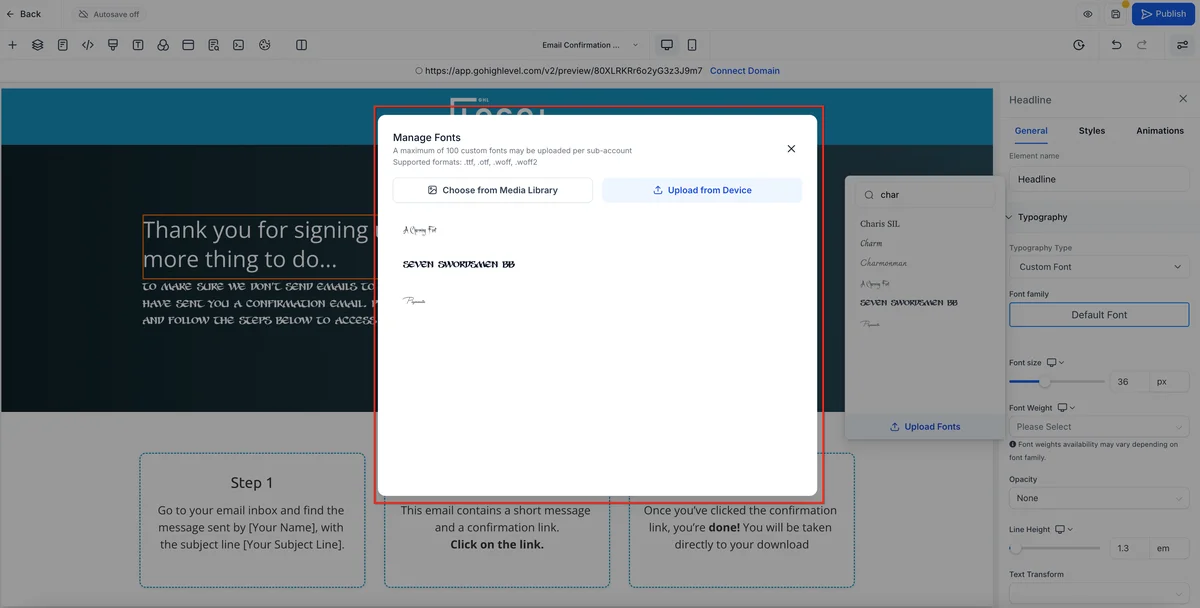
1. Online Courses
The core use case. Build video-based courses organized into Products → Categories → Posts (GoHighLevel's equivalent of Course → Module → Lesson). Each lesson can include:
- Video content (uploaded directly or embedded from Vimeo/YouTube)
- Text content (rich text editor with formatting, images, and embeds)
- PDF and file attachments (downloadable resources, worksheets, templates)
- Quizzes (multiple choice and true/false, with pass/fail thresholds)
- Drip scheduling (unlock lessons X days after enrollment or on a fixed date)
- Completion tracking (students see progress bars and lesson completion status)
Courses live at a dedicated portal URL (e.g., courses.yourdomain.com) and have their own login system for students. You control who gets access and how.
2. Membership Portals
Beyond single courses, you can bundle multiple products under a single membership offering. A student pays one fee and gains access to your entire library - or you can create tiered memberships where different payment levels unlock different content. This is the foundation for subscription-based knowledge businesses.
3. Client Portals (Agency Use Case)
Agencies use GHL's membership infrastructure to create client-facing portals - a branded space where clients log in to access deliverables, SOPs, onboarding materials, video walkthroughs, and reporting. This is one of the most underused features in GoHighLevel and completely replaces tools like Notion client portals or custom-built client dashboards.
4. GoHighLevel Communities
Launched in 2023, GoHighLevel Communities is a separate but integrated feature that functions like a lightweight Circle.so or Discord inside your GHL account. It gives your members:
- A dedicated community feed (posts, comments, likes)
- Organized channels and groups
- Course integration (course students can be automatically added to your community)
- Events and announcements
- Direct messaging between members
Communities are branded and hosted on your GHL account, not a third-party platform. This means you keep your data, your members, and your revenue - without paying Circle.so $99–$399/mo on top of everything else.
GoHighLevel Communities Feature
GoHighLevel Communities deserves a dedicated section because it's one of the most recent and compelling additions to the platform - and one that many users don't know exists.
What GHL Communities is: A fully integrated community platform built directly into GoHighLevel. Think of it as the intersection of a private Facebook Group and Circle.so, hosted inside GHL.
What you can do with it:
- Create multiple community spaces - each with its own branding, rules, and access level
- Organize discussions into channels (like Discord channels or Circle spaces)
- Post announcements, events, and updates to your entire community
- Gamify participation with badges and leaderboards
- Gate access - connect community access to a GHL membership product so only paying members get in
- Automate community enrollment through GHL Workflows (enroll when someone buys a course, cancel access when a subscription lapses)
How it compares:
| Feature | GHL Communities | Circle.so (Basic) | Discord |
|---|---|---|---|
| Included in GHL plan | ✅ Yes | ❌ $99/mo | Free (separate tool) |
| Course integration | ✅ Native | ✅ Native | ❌ Manual |
| CRM integration | ✅ Full GHL CRM | ❌ Limited | ❌ None |
| Automation triggers | ✅ GHL Workflows | ❌ Limited | ❌ None |
| White-label branding | ✅ Yes | ❌ No | ❌ No |
| Member management | ✅ GHL contacts | ❌ Separate | ❌ Separate |
For GoHighLevel for coaches and course creators already on GoHighLevel, Communities removes the need for an entirely separate community platform - and for agencies, it means you can offer clients a branded community space as part of your service package.
How to Set Up a Membership Site in GoHighLevel (Step-by-Step)
Here's exactly how to build and launch a membership site inside GoHighLevel. This process takes 2–4 hours for a basic course and scales up with your content volume.
Step 1: Create a New Product
Navigate to Memberships → Products → New Product inside your GHL sub-account. Give your product a name (this is your course title), a description, and an optional thumbnail image. This creates the container for all your course content.
Step 2: Build Your Course Structure (Modules and Lessons)
Inside your new product, click Add Category to create your first module (e.g., "Module 1: Getting Started"). Then click Add Post inside that category to create individual lessons. A typical course structure looks like:
Product: "The Social Media Mastery Course"
├── Category: "Module 1: Foundations"
│   ├── Post: "Welcome and Overview" (video + text)
│   ├── Post: "Your 30-Day Roadmap" (PDF + video)
│   └── Post: "Setting Up Your Profiles" (video + quiz)
├── Category: "Module 2: Content Strategy"
│   ├── Post: "The Content Calendar Method" (video)
│   └── Post: "Batch Content Creation" (video + worksheet)
└── Category: "Module 3: Growth and Analytics"
    ├── Post: "Reading Your Analytics" (video)
    └── Post: "Your First 1,000 Followers" (video + quiz)
Repeat until your full curriculum is structured.
Step 3: Upload Your Content
For each lesson (Post), click into it and use the editor to:
- Upload video directly to GHL's built-in hosting, or paste a Vimeo/YouTube embed URL
- Write or paste lesson text using the rich text editor
- Attach PDFs and files using the file attachment section
- Add a quiz using the Quiz tab - set your passing score and whether students must pass to proceed
GoHighLevel hosts video natively, which means you don't need a Vimeo Pro account ($20–$75/mo) just for course hosting. For large video libraries, Vimeo embedding is still an option if you prefer it.
Step 4: Set Pricing and Access Rules
Navigate to Memberships → Offers to create a pricing offer linked to your product. Here you define:
- Free access (great for lead magnets or free mini-courses)
- One-time payment (e.g., $497 lifetime access)
- Subscription (e.g., $97/month, cancel anytime)
- Payment plan (e.g., 3 × $199)
- Trial period (e.g., 7-day free trial, then $67/month)
You can create multiple offers for the same product - a "standard" tier and a "premium" tier, for example - each unlocking different content.
Step 5: Connect Stripe for Payments
Go to Settings → Payments → Stripe and connect your Stripe account. GoHighLevel uses Stripe for all membership and course payments. Once connected, your pricing offers will process payments automatically, and access is granted or revoked based on payment status - including handling failed payments and subscription cancellations.
Note: You can also use GoHighLevel's native payment processing (powered by Stripe under the hood) if you prefer not to have a separate Stripe account.
Step 6: Customize the Member Portal Design
Navigate to Memberships → Settings to customize the member portal your students will log into. You can set:
- Portal logo and favicon
- Custom domain (e.g.,
courses.yourbrand.com) - Primary color and typography
- Welcome message
- Featured products shown on the dashboard
For agencies: each sub-account gets its own portal, so your client's students see your client's branding - not GoHighLevel's.
Step 7: Publish and Test Your Course
Set each lesson to Published (drafts are hidden from students), then set the product itself to live. Create a test contact in GoHighLevel, grant them access through an offer, and log in as a test student to walk through the entire experience - video playback, quiz functionality, progress tracking, and mobile responsiveness.
Before launching, also test:
- The checkout flow from funnel → payment → access granted
- Drip scheduling (if applicable) - create a contact far in the future to verify lessons unlock correctly
- Email confirmations - make sure students receive their login credentials automatically
How to Sell Courses With GoHighLevel
GoHighLevel's strength isn't just hosting courses - it's the entire sales ecosystem around them.
Selling Through Funnels
Build a dedicated course sales funnel inside GHL's funnel builder: VSL page → Sales page → Checkout page → Thank you page → Upsell page. Each step is drag-and-drop, and the checkout connects directly to your Stripe offer. No third-party checkout tool (like ThriveCart or SamCart) required.
Pricing Options
GoHighLevel supports every common course pricing model:
- One-time payments - single checkout, lifetime access
- Monthly/annual subscriptions - recurring revenue, access tied to subscription status
- Payment plans - split a one-time price into 2–6 installments
- Free + paid tiers - gate premium modules behind an upgrade
- Coupon codes - apply percentage or fixed discounts at checkout
Order Bumps and Upsells
In GHL's funnel builder, you can add:
- Order bumps (checkbox upsell on the checkout page - e.g., "Add the 1:1 coaching call for $297")
- One-click upsells (post-purchase upsell page - e.g., "Upgrade to the VIP group for $97/mo")
Both are fully automated - no manual fulfillment needed. The upsell is linked to another GHL offer, and access is granted automatically.
Automating Post-Purchase Enrollment
Once connected, your GHL Workflow can:
- Detect the Stripe payment (trigger: Order Submitted)
- Enroll the student in the course (action: Grant Offer Access)
- Send a welcome email with login details
- Add them to a GHL Community
- Tag them in the CRM for segmentation
- Start a post-purchase nurture sequence
This entire flow runs automatically - no manual grant of access, no CSV imports.
GoHighLevel vs Kajabi for Membership Sites
Kajabi is the most popular dedicated course platform and the most common alternative coaches consider. Here's how they compare:
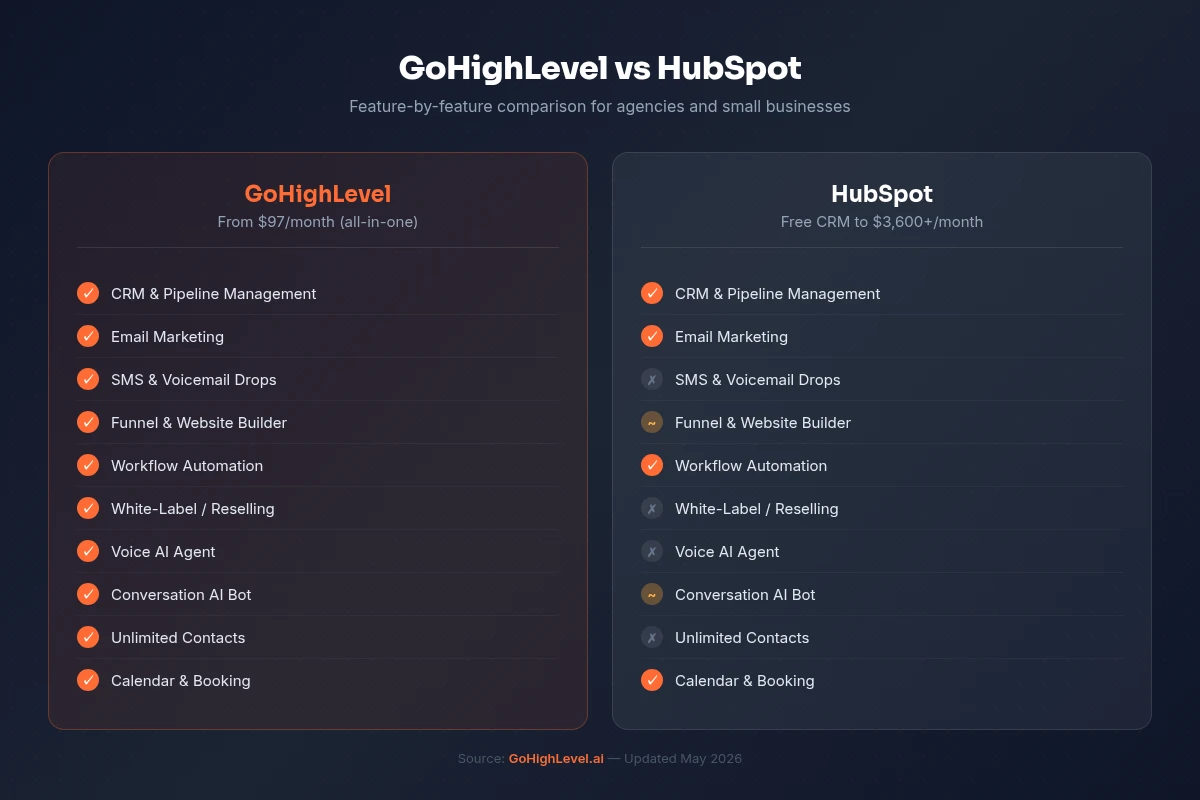
| Feature | GoHighLevel | Kajabi |
|---|---|---|
| Monthly Price | $97–$297/mo (all-in) | $149–$399/mo (courses only) |
| Online Courses | ✅ Included | ✅ Included |
| Membership Sites | ✅ Included | ✅ Included |
| Communities | ✅ Included (GHL Communities) | ✅ Kajabi Communities |
| Email Marketing | ✅ Full email suite included | ✅ Included (limited automations) |
| Full CRM | ✅ Pipeline CRM, contacts, deals | ❌ Basic contact list only |
| Funnel Builder | ✅ Full drag-and-drop builder | ✅ Basic landing pages |
| SMS Marketing | ✅ Built-in SMS | ❌ Not included |
| Phone / Call Tracking | ✅ Built-in calling | ❌ Not included |
| Automation Workflows | ✅ Advanced visual builder | ⚠️ Limited sequences |
| White-Label | ✅ Full white-label (Pro+) | ❌ Not available |
| Unlimited Students | ✅ All plans | ⚠️ Capped on lower tiers |
| Affiliate Program | ✅ Built-in affiliate manager | ✅ Included |
| Native Quizzes | ✅ Yes | ✅ Yes |
| Drip Content | ✅ Yes | ✅ Yes |
The bottom line on GHL vs Kajabi:
Kajabi is a polished, course-first platform. The student experience is excellent, and if you're a solo course creator who wants the simplest possible tool and doesn't need a CRM, it's a reasonable choice.
But GoHighLevel wins on value and breadth. You're getting a full marketing engine - CRM, SMS, funnels, automations, phone system, website builder - plus the course platform, all for the same price (or less) than Kajabi charges for courses alone.
For coaches who also want to run ads, manage their pipeline, follow up with leads, and book calls - GoHighLevel is the clear winner. You stop paying for 4–6 separate tools.
GoHighLevel vs Teachable vs Thinkific
For completeness, here's how GoHighLevel stacks up against the other major course platforms:
Teachable ($59–$249/mo): Course-focused platform with clean UX. No CRM, no SMS, no funnels. Transaction fees on lower plans. Better for pure course hosting if you want simplicity, worse as your business grows and you need marketing automation.
Thinkific ($99–$199/mo): Similar to Teachable. Strong course builder with no transaction fees. Has a free plan but it's limited. Like Teachable, it's courses-only - no CRM, no funnel builder, no SMS. You'll still need ActiveCampaign, ClickFunnels, and Calendly alongside it.
GoHighLevel ($97–$297/mo): The only option in this comparison that replaces your CRM, email tool, funnel builder, SMS platform, and course platform simultaneously. Higher learning curve, but dramatically higher ROI as you grow.
If you're choosing between these three and you're already running (or want to run) a coaching or consulting business - not just a passive course - GoHighLevel is the only platform that grows with your entire operation.
FREE TRIAL
Get 30 Days Free With Our Partner Link
- ✓Full access for 30 days
- ✓No charge during the trial
- ✓Cancel any time
Join 2.2 million businesses already running on GoHighLevel
Drip Content and Course Automations
One of GoHighLevel's most powerful advantages is that your course platform and your automation engine live in the same system. This means your workflows can interact with student progress directly.

Setting Up Drip Content
Inside each lesson (Post) in your course, you can configure a drip delay:
- Days after enrollment - unlock lesson X days after the student first gains access (e.g., Module 2 unlocks 7 days after purchase)
- Specific date - unlock on a fixed calendar date (useful for cohort-based courses)
Drip content keeps students engaged over time rather than binge-consuming and churning. It also reduces refund requests - students who are mid-course are less likely to ask for their money back.
Automation Workflows for Course Students
Because GHL Workflows see your entire contact database - including course enrollment status - you can build automations like:
Lesson completion trigger:
- Student completes Lesson 3 → send email: "You're halfway there! Here's what's coming in Module 2..."
- Student completes final lesson → send certificate of completion → add tag "Course Graduate" → move to upsell sequence
Inactivity re-engagement:
- Student has not logged in for 7 days → send SMS: "Hey [Name], you're 40% through [Course Name] - don't lose your momentum! Login here: [link]"
- Student has not logged in for 14 days → trigger personal email from you → create task for manual outreach
Subscription renewal:
- 3 days before subscription renewal → send reminder email
- Payment fails → revoke course access → send "payment issue" email with update link
- Access restored after payment → re-enroll → send "you're back" email
Upsell triggers:
- Student completes 100% of course → wait 2 days → send upsell sequence for advanced course or 1:1 coaching
None of this is possible with Kajabi, Teachable, or Thinkific - because those platforms don't have a CRM and workflow engine. You'd have to connect them to ActiveCampaign or ConvertKit via Zapier and build a stitched-together system that breaks when APIs change.
White-Labelling Your Course Platform (Agency Use Case)
If you're an agency, GoHighLevel's white-label capability transforms the membership builder into a product you can sell.
On the Pro ($297/mo) and Agency Unlimited plans, you can:
- Brand each sub-account's member portal with the client's logo, colors, and custom domain
- Create courses on behalf of clients - the client's students see the client's brand, not GoHighLevel
- Charge clients for the portal - include course hosting as part of your retainer or charge a setup fee
- Use SaaS Mode to resell GHL itself as your own white-labeled platform, complete with the course builder
Practical example: An agency serving fitness coaches can deploy a branded "CoachOS" platform - each coach gets their own sub-account with a member portal at courses.theirname.com, their own Stripe integration, and their own student list. You manage all of it from your agency dashboard while each client only sees their own branded environment.
This is impossible on Kajabi (no white-label). It's possible on Teachable for Schools and Thinkific Plus, but those tiers start at $500–$900/mo. On GoHighLevel, it's included at $297/mo no matter how many client portals you manage.
Limitations of GoHighLevel Membership Sites
Honest review: GoHighLevel's membership builder is solid but not perfect. Here are the real limitations you should know about:
1. Video hosting quality vs. Vimeo/Wistia GHL's native video player is functional but basic - no chapters, no interactive elements, no advanced analytics on viewer drop-off points. If video engagement data is critical to your business, Vimeo Pro or Wistia is still better. The good news: you can embed both inside GHL lessons.
2. Quiz functionality is basic GHL's quizzes are multiple-choice and true/false only. No open-ended questions, no automatic grading with detailed feedback, no certification exam functionality. If you need advanced assessment, you'll need a separate quiz tool.
3. No native course marketplace Kajabi, Teachable, and Thinkific all have discovery features or marketplaces where students find new courses. GHL has no course discovery marketplace - all your traffic comes from your own marketing. For most business owners this isn't a drawback (you're driving your own traffic anyway), but it's worth noting.
4. Student-to-student interaction is limited within courses The course module itself doesn't have built-in discussion boards per lesson. Comments on lessons are not available natively. The GHL Communities feature fills this gap, but it's separate from the course interface - students have to go to a different area to discuss lessons.
5. Learning curve GoHighLevel has more features than Kajabi, and that comes with more complexity. Expect a steeper onboarding curve - typically 1–2 weeks to feel comfortable with the platform. The payoff is that once you're up and running, you've replaced 5–6 tools.
6. No built-in course completion certificates GoHighLevel doesn't automatically generate completion certificates. You can work around this by creating a certificate PDF and automating its delivery via email when a student completes the course - but it's not a one-click feature.
Related Articles
EXTENDED FREE TRIAL
Start with 30 days free, not 14.
Use our partner link to get double the standard 14-day trial.
Start Your Free 30-Day Trial →Related Resources
- Visit the GoHighLevel official site
- Visit the G2 GoHighLevel reviews
Frequently Asked Questions
Does GoHighLevel include a membership site builder?
How do I set up an online course in GoHighLevel?
Can I sell online courses on GoHighLevel without a separate platform?
Can I white-label a GoHighLevel course platform for my clients?
How does GoHighLevel compare to Kajabi for online courses?
Can I drip course content to students over time in GoHighLevel?
Ashley Kemp is a digital entrepreneur and perpetual traveller. Switched from ClickFunnels to GoHighLevel years ago and never looked back. Writing about what actually works.
Was this article helpful?


